Books that do the work. You just say yes. Ta-da.
All the accounting you know, for every company you run, at one price. Bank lines arrive filled in, paper reads itself, and your history moves in checked to the penny.
No card needed. Beta Free while in beta: nothing is charged until you choose a plan.
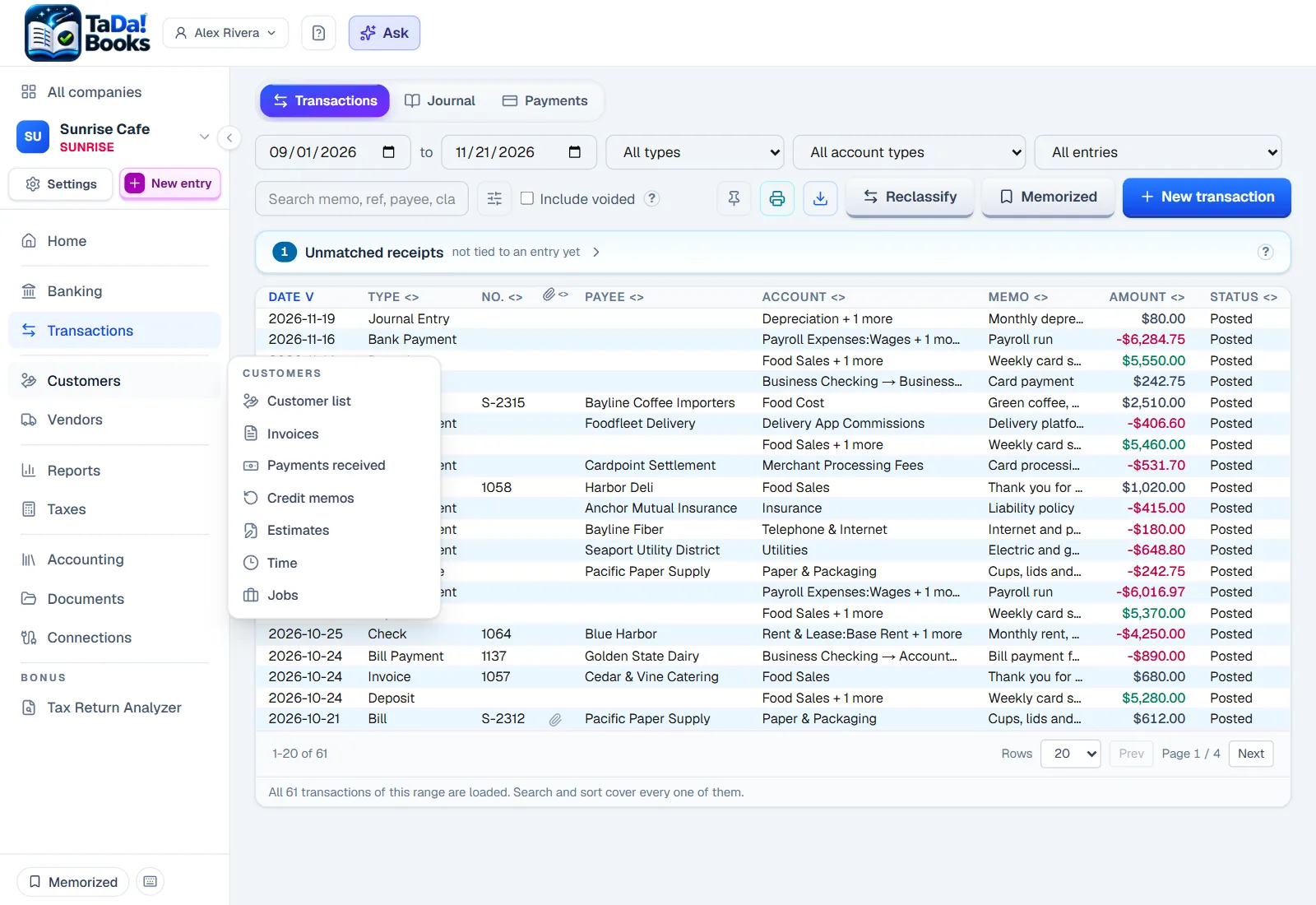
Hover or tap the numbers to see what each part does.
- Nothing posts without youUnless you tell a rule it may
- Every company, one loginRentals included, one price
- Yours to takeA full export, any time, free
The routine work, done for you
Every card below happens on its own, shown on the real screens. You only answer what truly needs a person.
Click any screen to see it full size.
The bank sends the day's lines
What it does: Once the bank is connected, each day's bank and card lines arrive by themselves, counted and waiting.
What is left for you: A look when you have a minute.
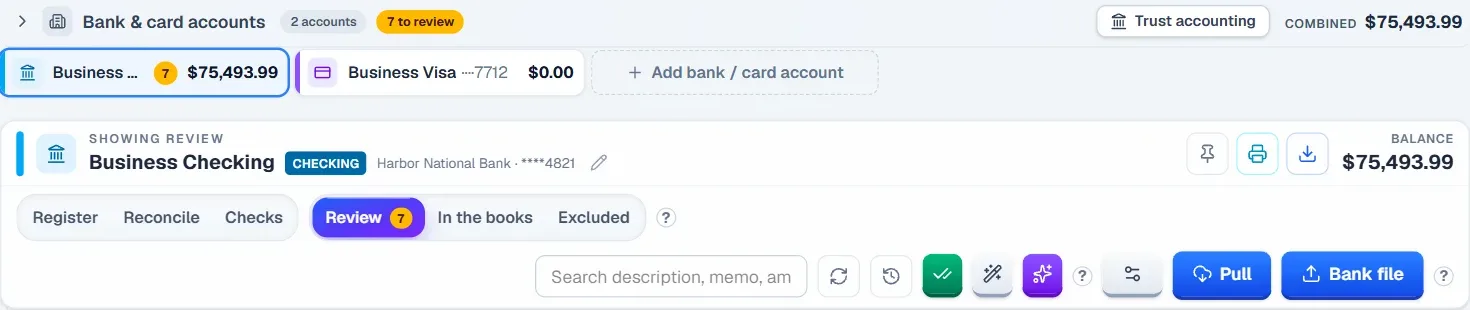
Lines you have seen before come filled in
What it does: A payee you have booked before comes with the account you chose for it, and shows the past entries it learned from. A new one, like the deposit here, waits for you to pick once.
What is left for you: Say yes, pick the account for a new payee once, or let a rule you trust post it.

It knows which bill you paid
What it does: A payment to a vendor you owe shows the open bill beside it.
What is left for you: One click, and the bill is paid.

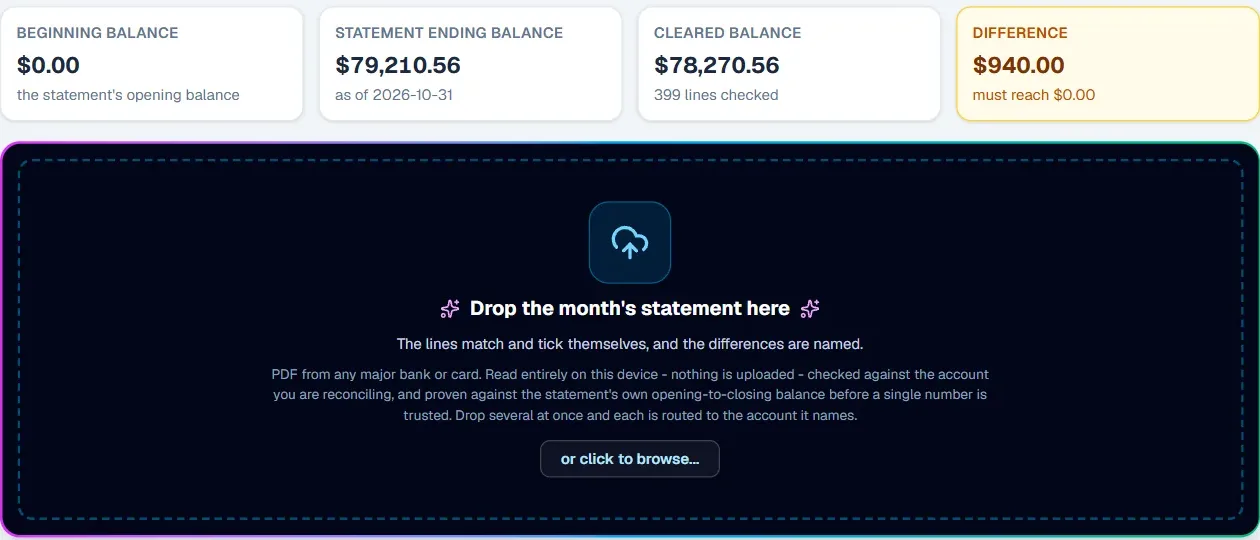
The statement ticks itself
What it does: Drop in the statement PDF: its lines match your books and tick themselves, and any difference is named.
What is left for you: Look at what is named, until the difference reaches $0.00.
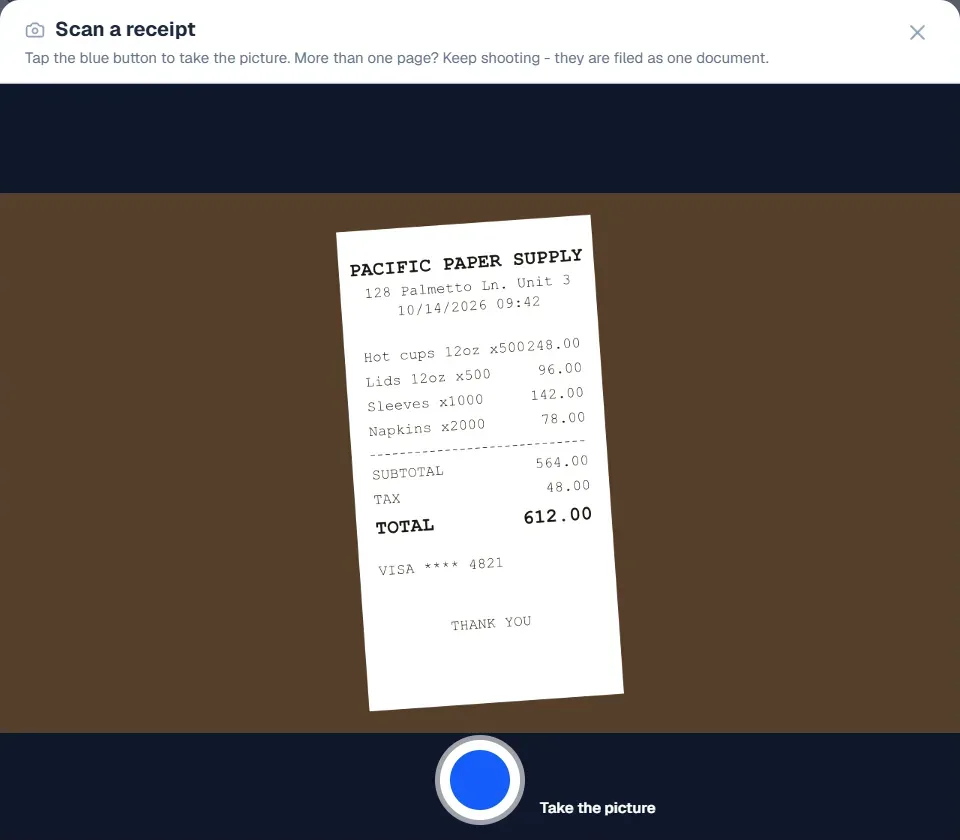
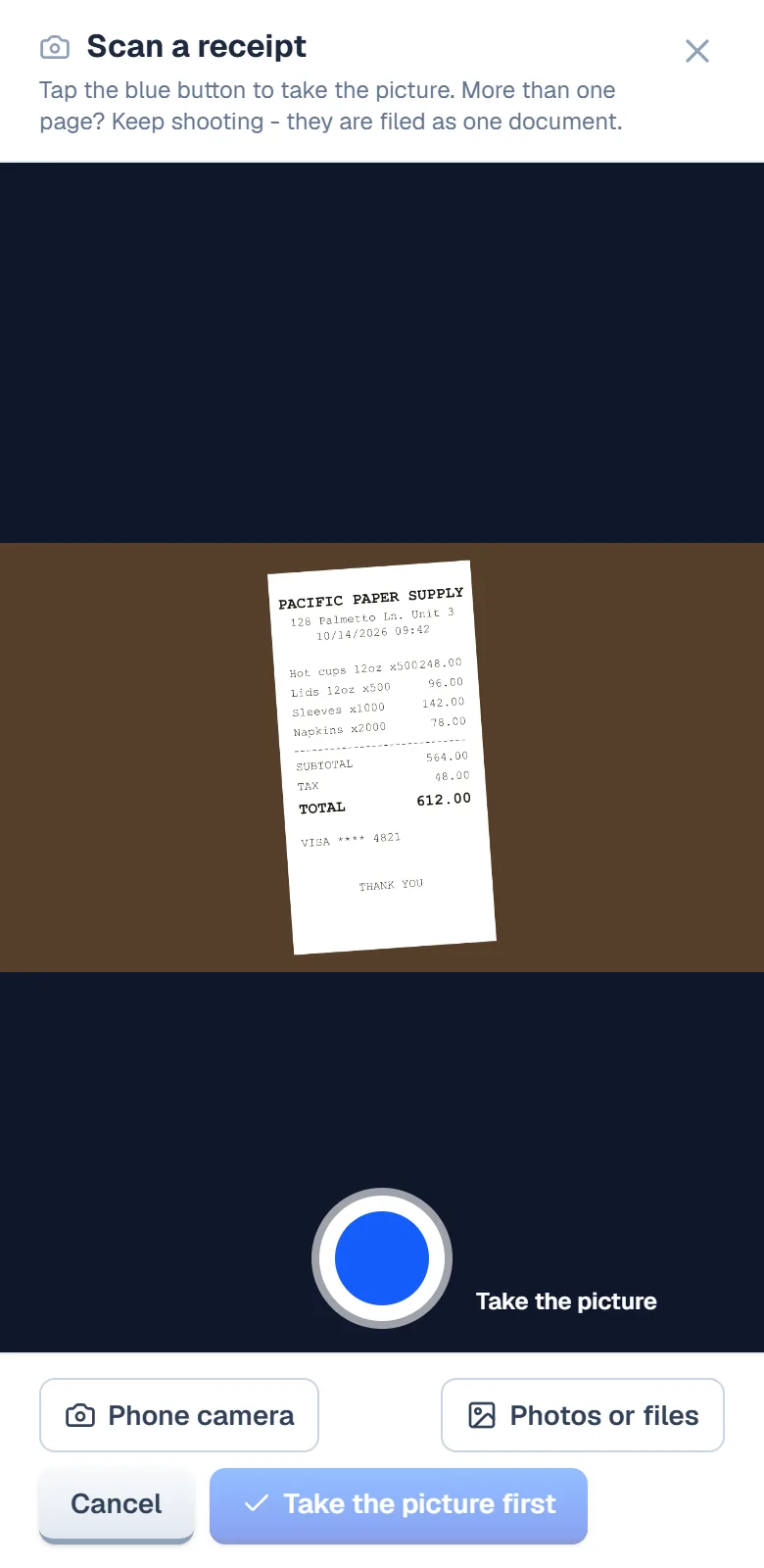
The receipt reads itself
What it does: Photograph a receipt: the store, the date and the total fill themselves in, and it pairs with its bank line.
What is left for you: Take the picture.
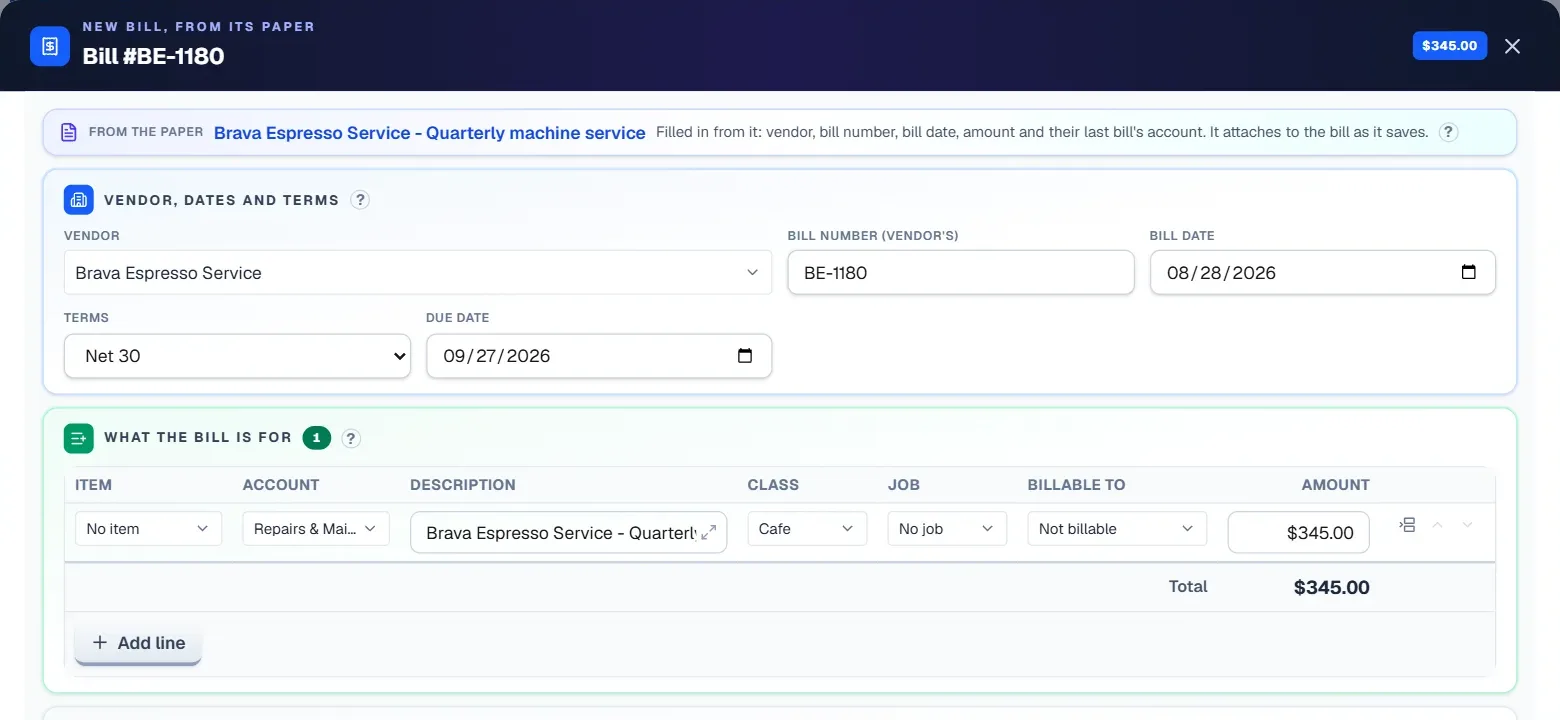
The bill fills itself in
What it does: From its paper: the vendor, the bill number, the dates, the amount and the account are already in.
What is left for you: Check it and save.
The math is done for you
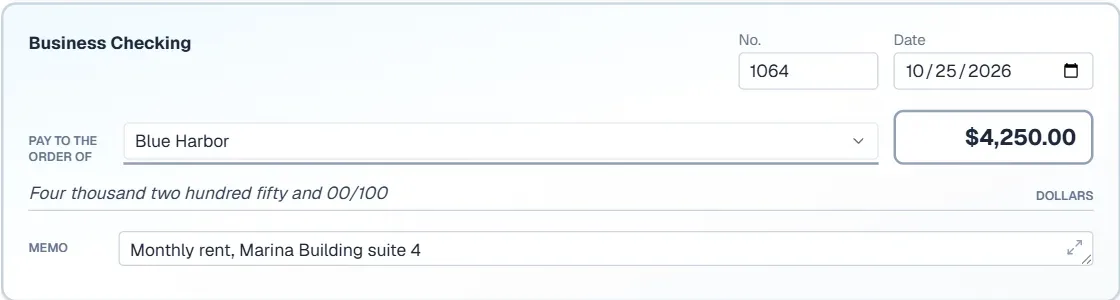
- A check writes its amount in words
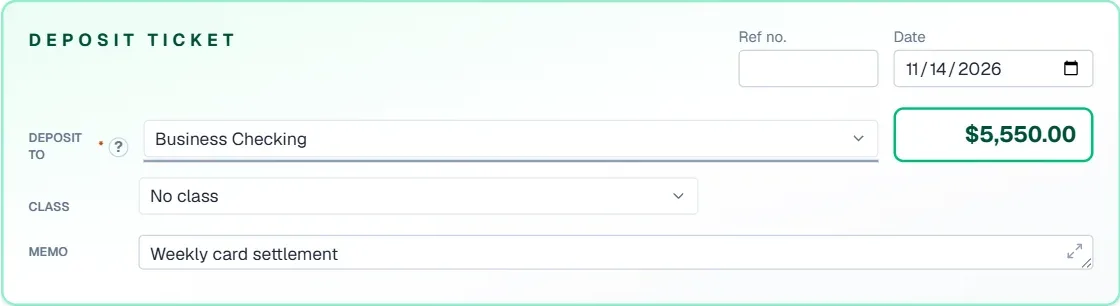
- Totals, balances and what is still owed add themselves
- Due dates follow the terms, numbers follow the last one
- Every entry shows what will post before you save it
- A journal entry tells you when debits and credits balance
All the accounting you know. The busywork, done for you.
The standard screens, where you expect them. The help sits on top: it fills things in, you say yes, and you can always type, change or undo any of it yourself.
1 of 9 · The screens play by themselves. Click any one to stop on it.
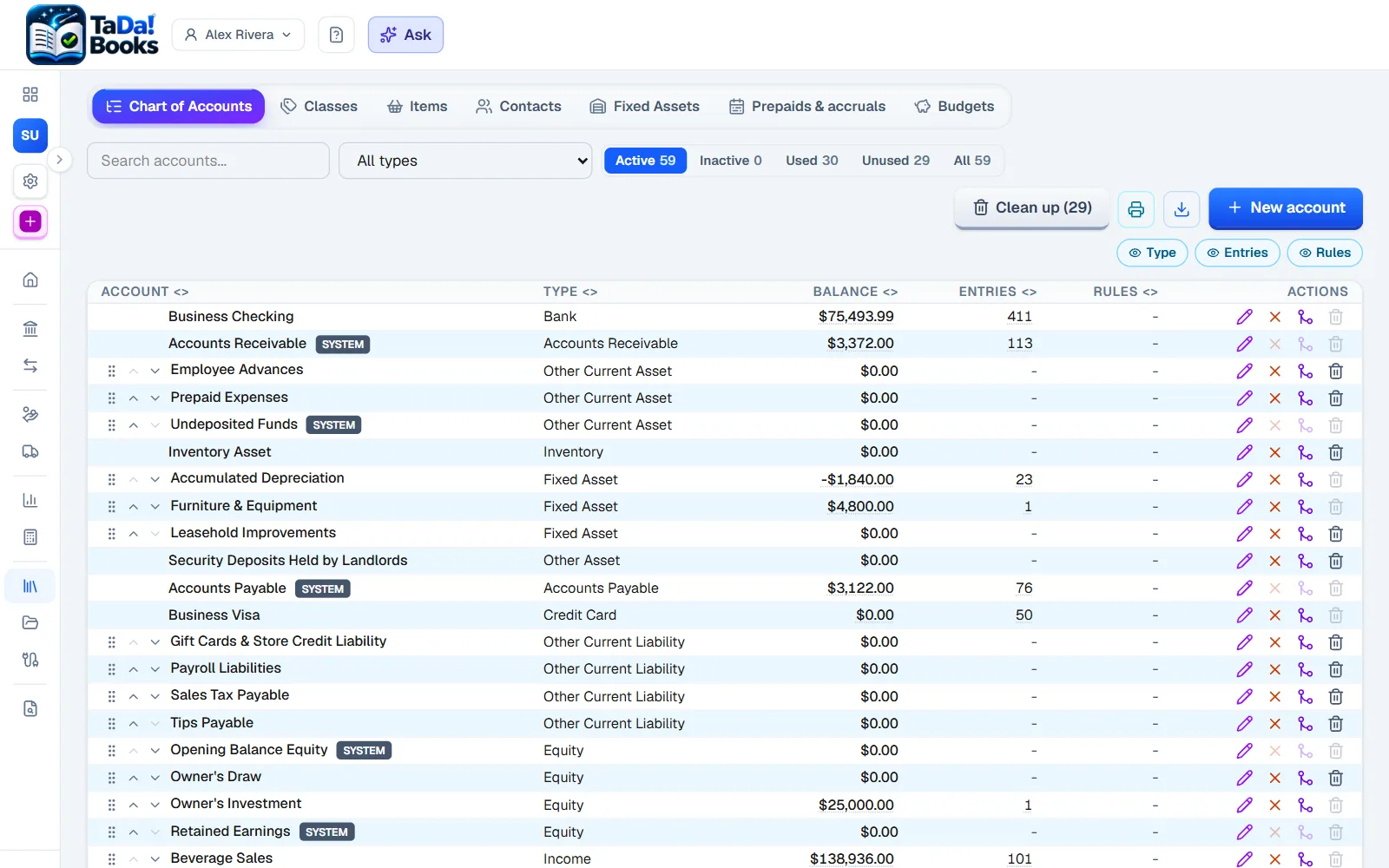
Chart of accounts
The accounts you know, in the order you expect, with sub-accounts.
We add: Each account shows its balance, how many entries it has and the rules that fill it.
- Deposits and receive payment
- Estimates and credit memos
- Purchase orders
- Recurring entries
- Classes and jobs
- Budgets
- 1099s and W-9s
- Sales tax
- Items and inventory
- Fixed assets
- Memorized reports
- Print and download everything
You do not need to know accounting
The books do the accounting part: every entry balances itself and every report adds up. You never need the jargon. This is all you actually do:
Each bank and card line arrives with its account already filled in. You look it over and say yes.
Photograph a receipt or a bill. It fills itself in and finds its bank line.
At tax time the whole year goes to your accountant in one click, in the form they ask for.
Your first hour
- 1Create your company: its name, its state and its timezone.
- 2Pick your trade, and a complete chart of accounts is made for it.
- 3Connect the bank, or drop in a statement, and the lines arrive filled in.
- 4Say yes to the lines, and read your first Profit and Loss.
Which plan? Starter is made for a new or side business, and nothing is charged until you choose a plan. Compare the plans
All your companies. One login, one price.
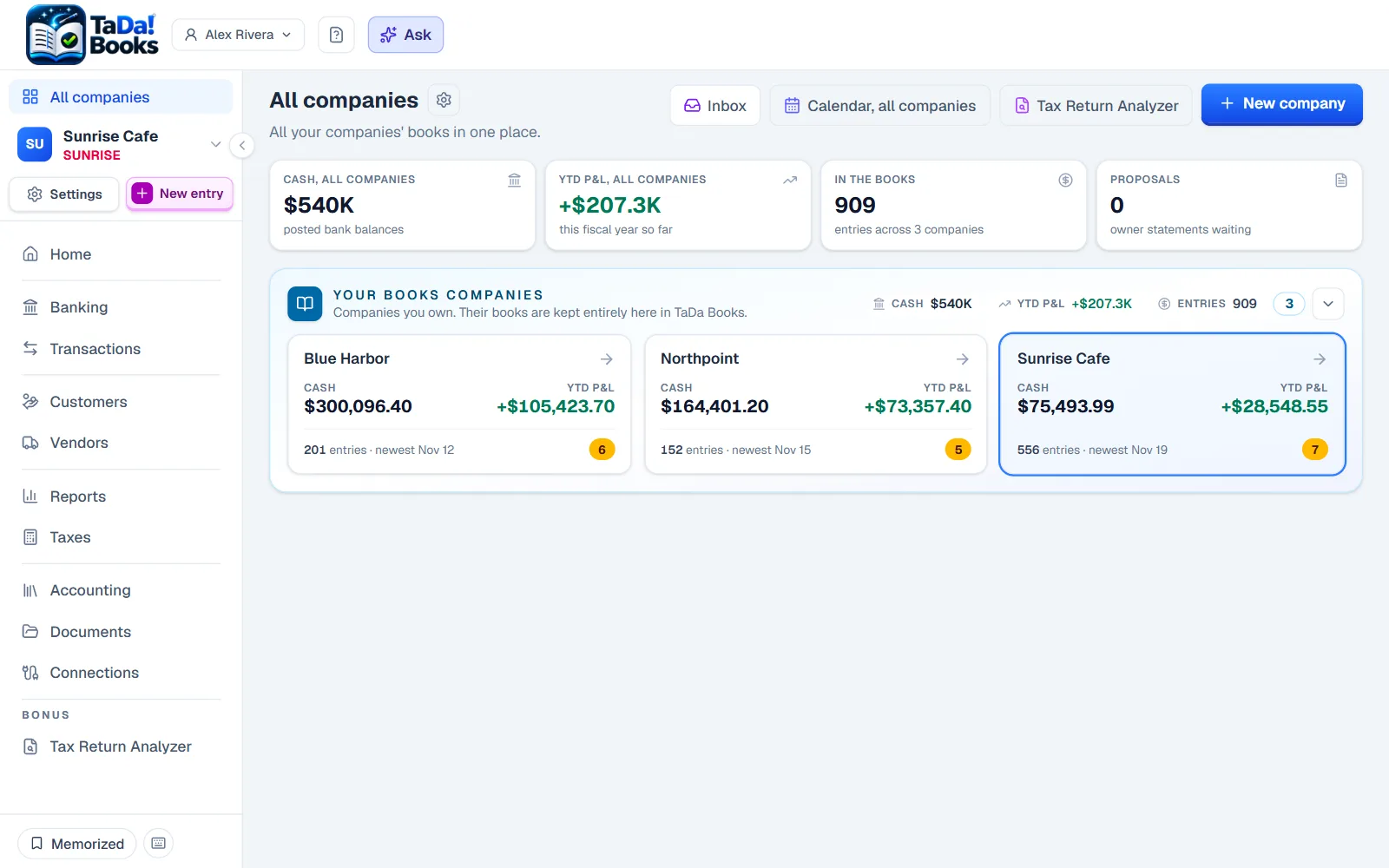
One board with every company's cash, profit and what is waiting. Money between two of them is booked on both sides at once, and rentals live in the same books.
- Open any company in one clickOn the same screen you were on in the previous one.
- The combined reportA group of companies as one, weighted by who owns what.
- Rentals built inUnits, tenants, leases, rent and owner statements.
- 1,850.00Paid128 Palmetto Ln. Unit 1J. Okafor
- 1,795.00Due128 Palmetto Ln. Unit 2M. Lindqvist
- 2,400.00Late40 Harbor View Dr.R. Patel
- 1,650.00Vacant9 Quarry Rd. Unit BNo tenant
Things bookkeeping never did for you before
Hover a card to see how it works.
Ask about your numbers or how to do something.
Bank lines arrive with the account you would pick.
A receipt pairs itself with its bank line or bill.
Several companies as one, weighted by who owns what.
Your look on every invoice, and stationery to print.
Upload the return and every line sits beside what your books say.
A bank statement PDF becomes lines to review.
One price, however many companies you run.
Your own tax return, explained
Not only the business. The Tax Return Analyzer in TaDa Books reads your personal return too, and tells you what it says in words you already use.
Upload the return your accountant filed for you. It explains where the income came from, how the tax was figured, what you paid and what came back.
Lay your returns side by side, oldest to newest, and see what changed: the income, the deductions, the tax, the refund.
Collect the W-2s, 1099s and K-1s as they arrive, send them to your accountant at once, and each is checked against the return when it comes back.
The PDF is read on your own computer and Social Security numbers are removed before anything is sent. It belongs to you, not to a company.
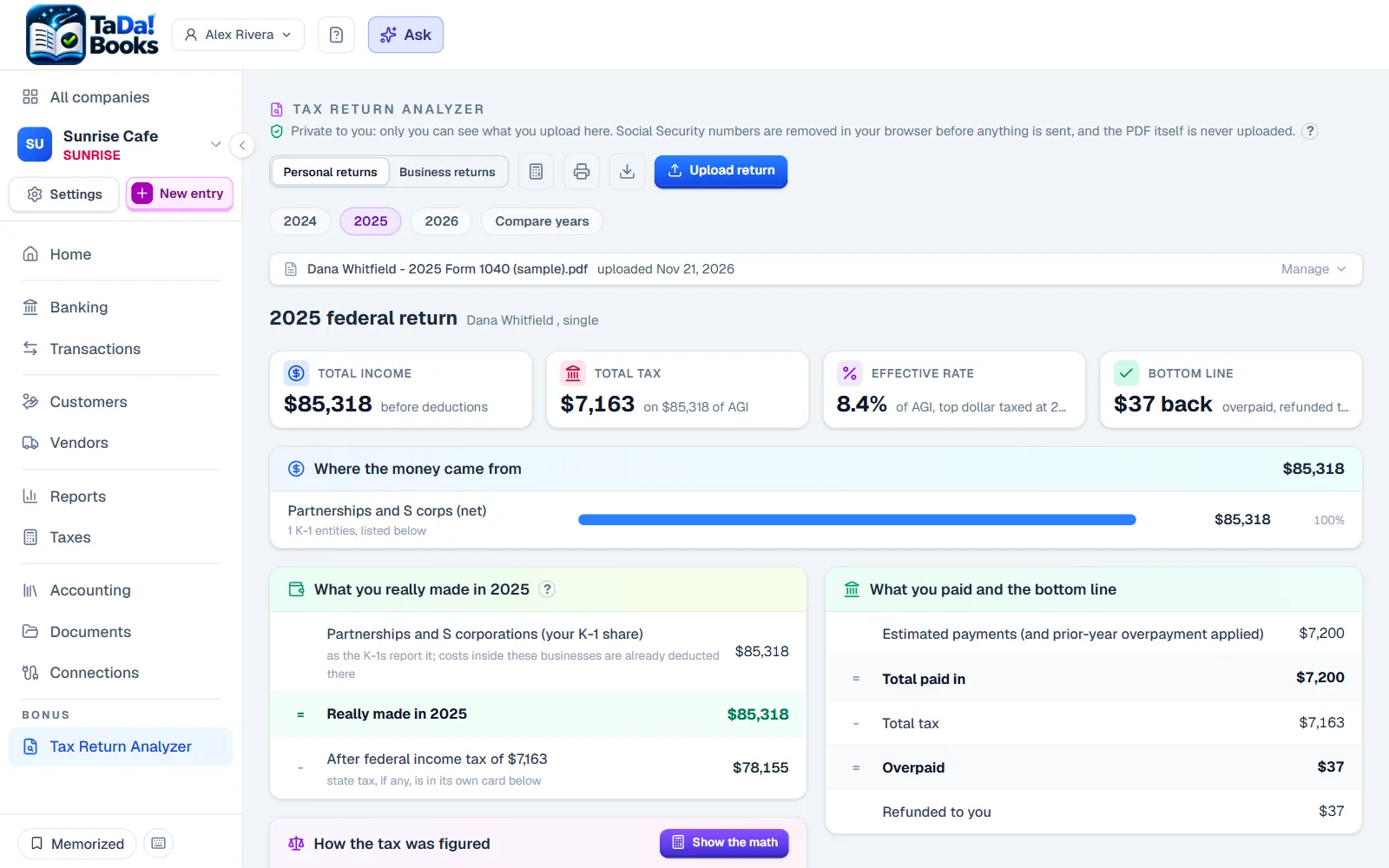
A sample Form 1040, read and explained.
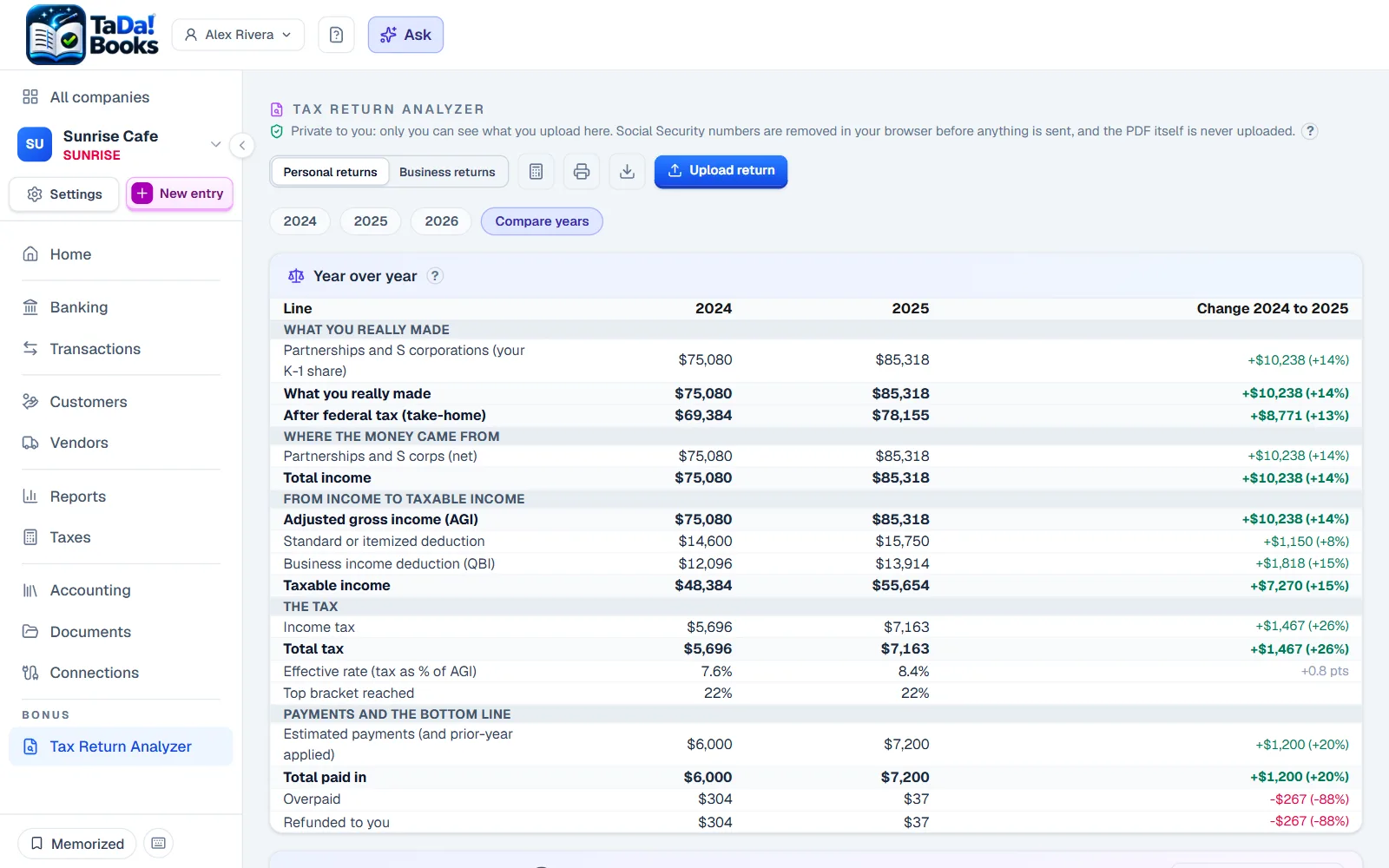
Compare years: two returns side by side.
Answer once. It remembers.
Every bank line arrives with a suggestion from your own history, and shows you the past entries it learned from. Say what a line is one time, and a rule fills in the rest, on every pull from now on.
- Suggestions show their workOpen one and see the entries it came from.
- One click makes a ruleRight from the line you just answered.
- Trust it, and it posts by itselfOnly lines that just arrived, never one you touched.
- Rules travelCopy them to your other companies in one step.
- Bluewave InternetMar 3-89.00
- Sunrise CafeMar 6-36.40SuggestedMeals
- Bluewave InternetApr 3-89.00Waiting for a category
- Bluewave InternetMay 3-89.00Waiting for a category
Try it: pick a category for the first Bluewave Internet line.
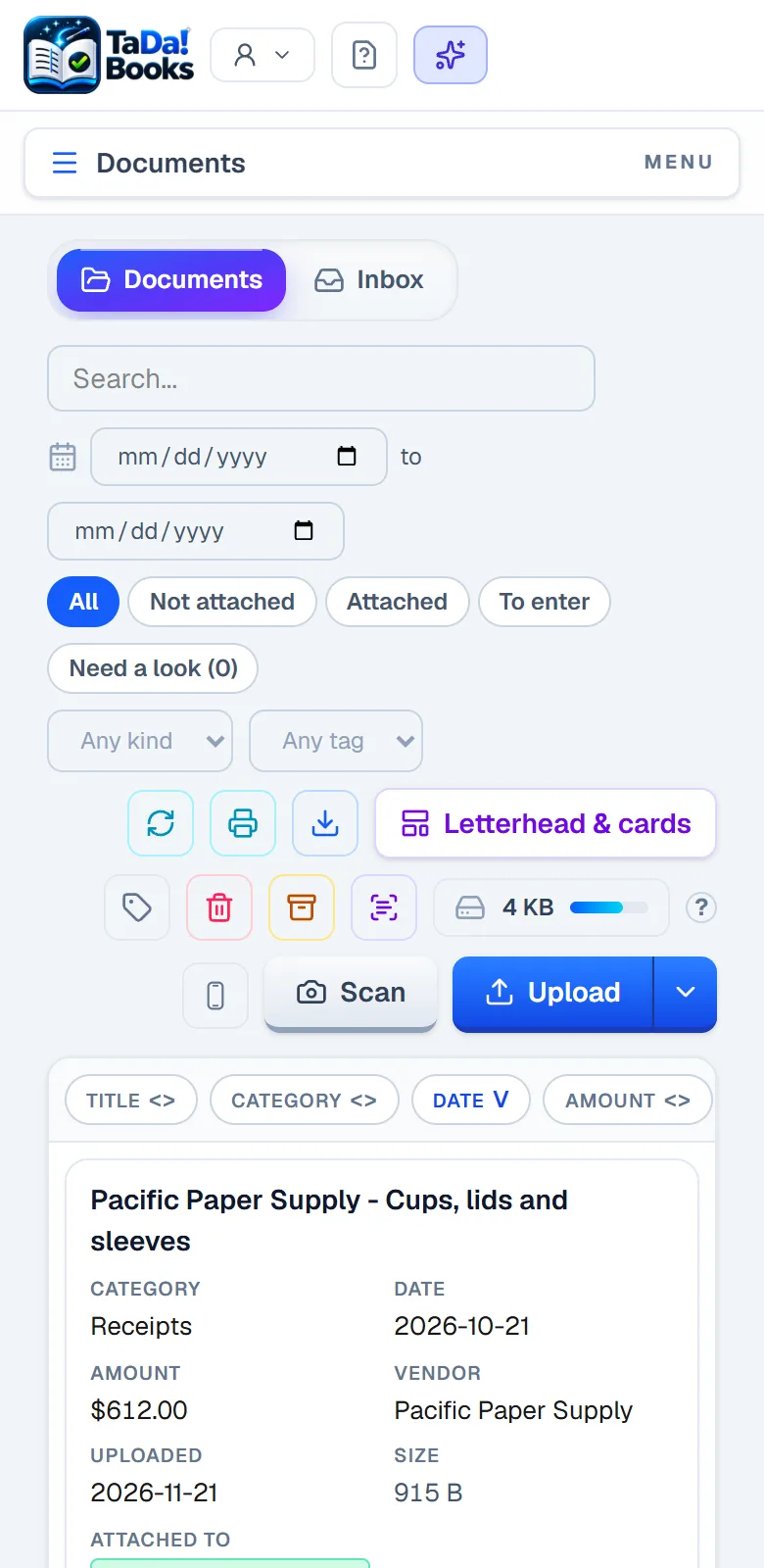
Snap it. It files itself.
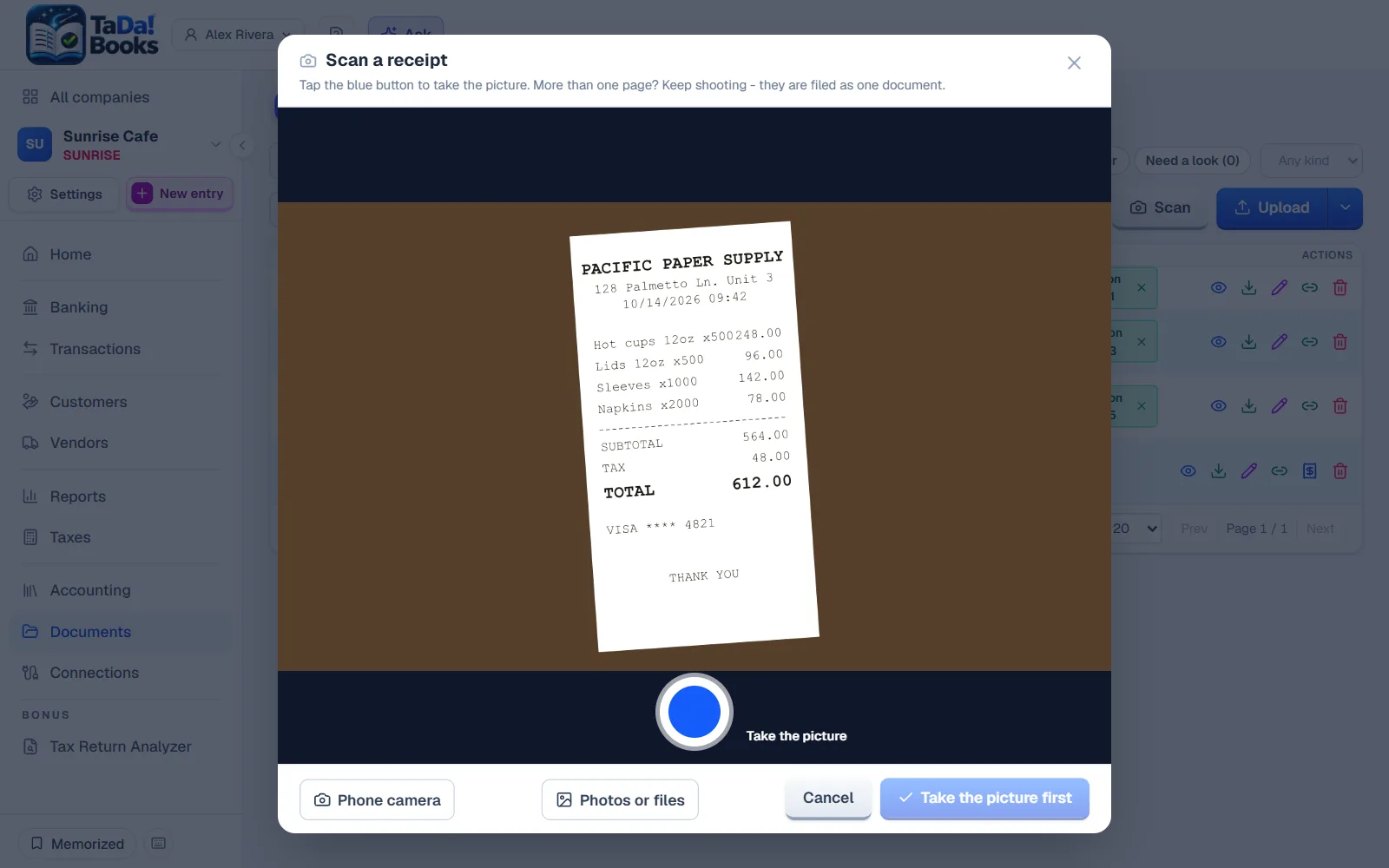
Scan it with the phone app, take a picture with the computer, or drag in one file or a whole stack. The store, the date and the total fill themselves in, a category is suggested, and it pairs itself with the bank line it belongs to. A statement PDF arrives as lines to review.
- Any date, however it is written09/14/2026, 14.09.2026 or Sep 14 2026: all understood as the same day.
- The phone scanner works with no signalThe receipt waits on the phone and sends itself later.
- A whole stack at onceDrag in a pile of files, and each one is filled in and filed on its own.
- On Android and iPhoneAndroid shares any photo or file straight to the Scanner. On an iPhone, add it to the home screen and pick from Photos.
A question in plain words. An answer you can check.
An AI assistant that works from your actual books, not a general chatbot. Ask about your numbers, ask how to do something, or tell it what to record and it drafts the entry for you. Every figure in the answer opens where it came from.
- It works from your real booksThe same reports and entries you can open, live, nothing more.
- Tell it, and it drafts the entry"Record the owner loan" becomes a journal entry, checked like one you typed.
- You approve before it postsIts drafts wait in Suggestions for a person to say yes.
- How-to answers come from the helpNever an invented menu or button.
The whole books, in your pocket
Every screen works on a phone. Photograph a receipt at the counter, and it is filled in before you are back in the car.
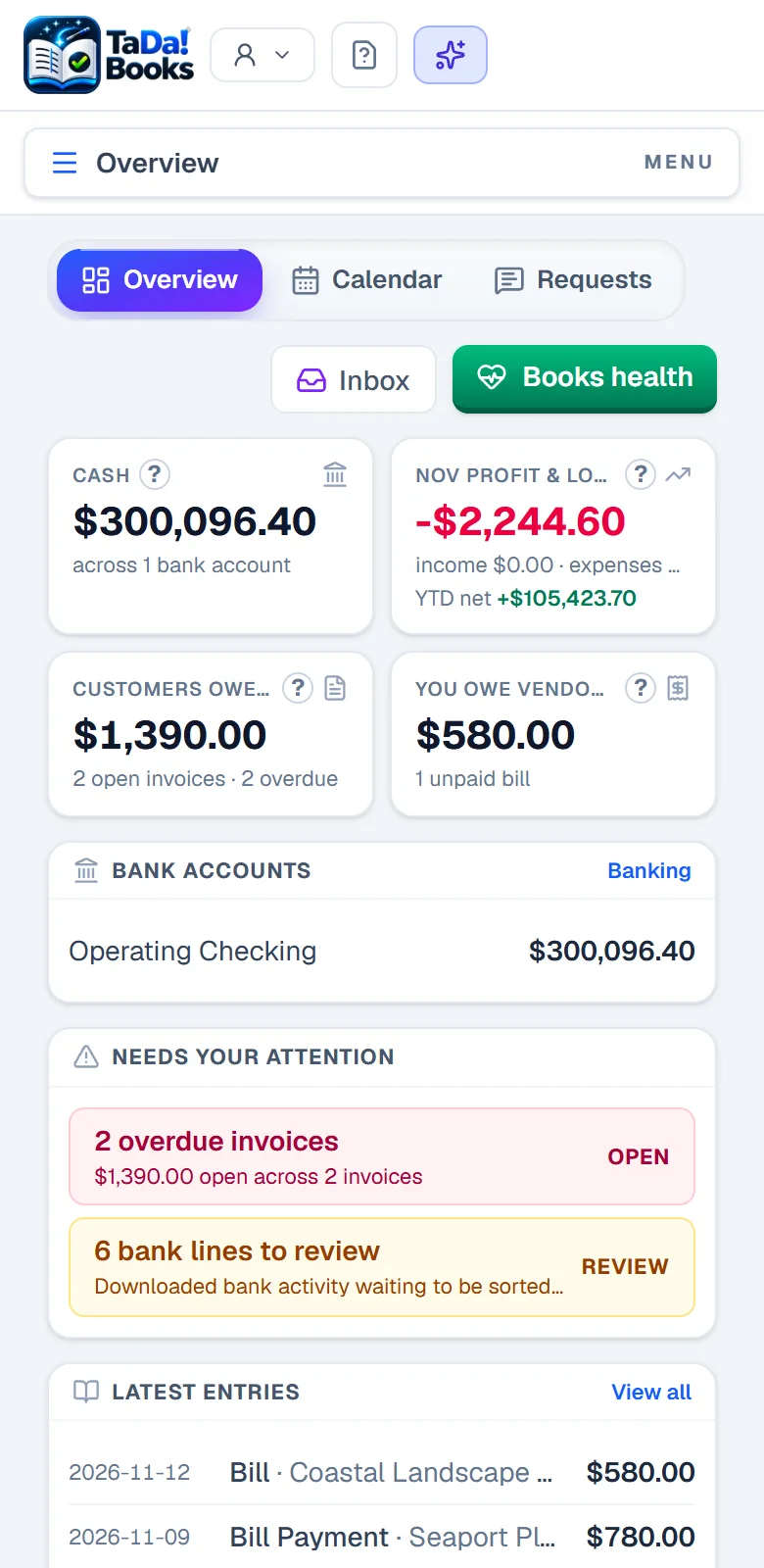
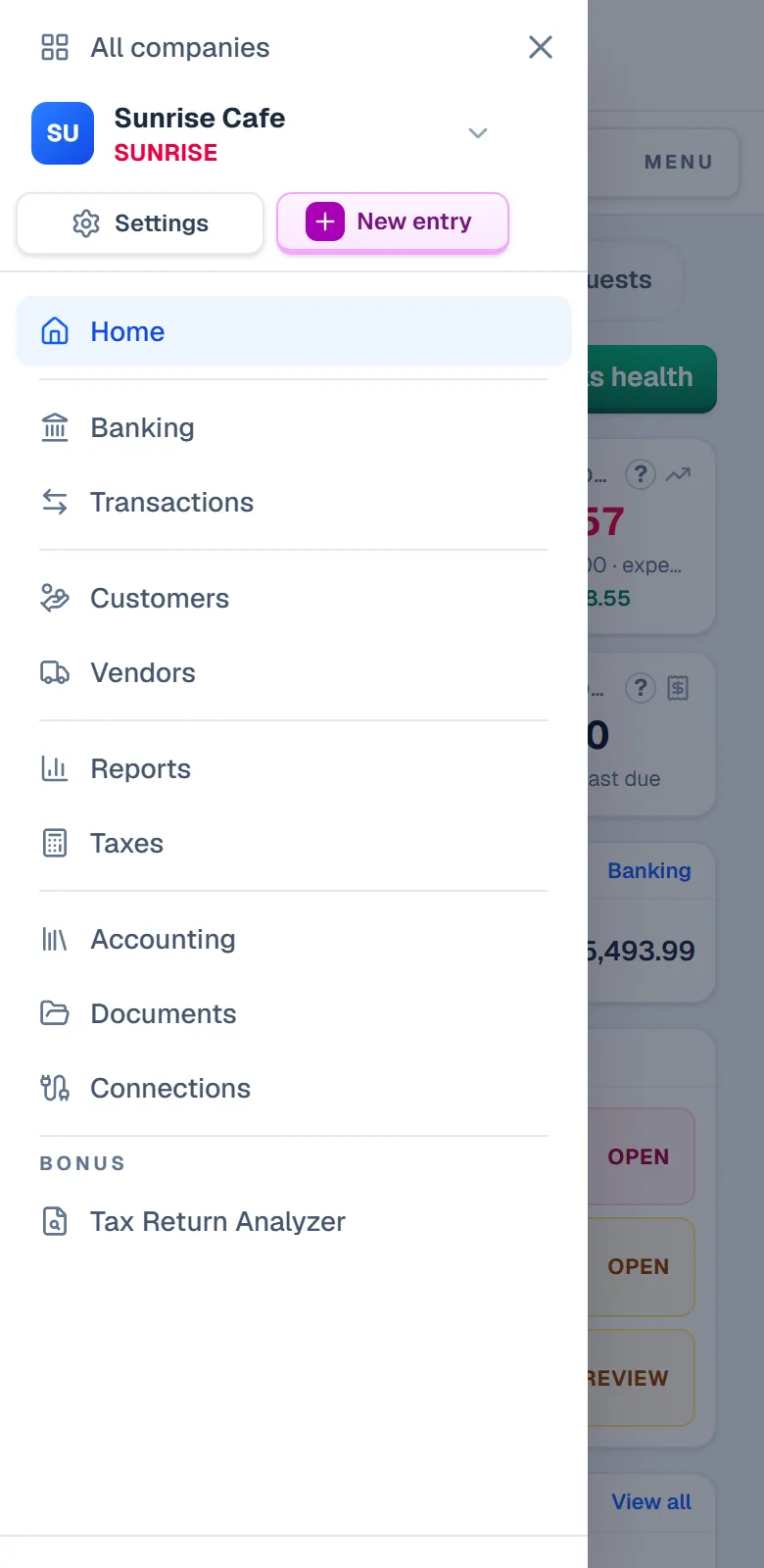
Every client's books. One login.
One board with every set of books you keep, the state of each and the next thing to do. Ask a client for a receipt from the entry it is about, and the answer attaches itself. Your firm's name on what you prepare.
- Priced per client companyYour own firm's books included free.
- Requests both waysAsked and answered in place, never lost in email.
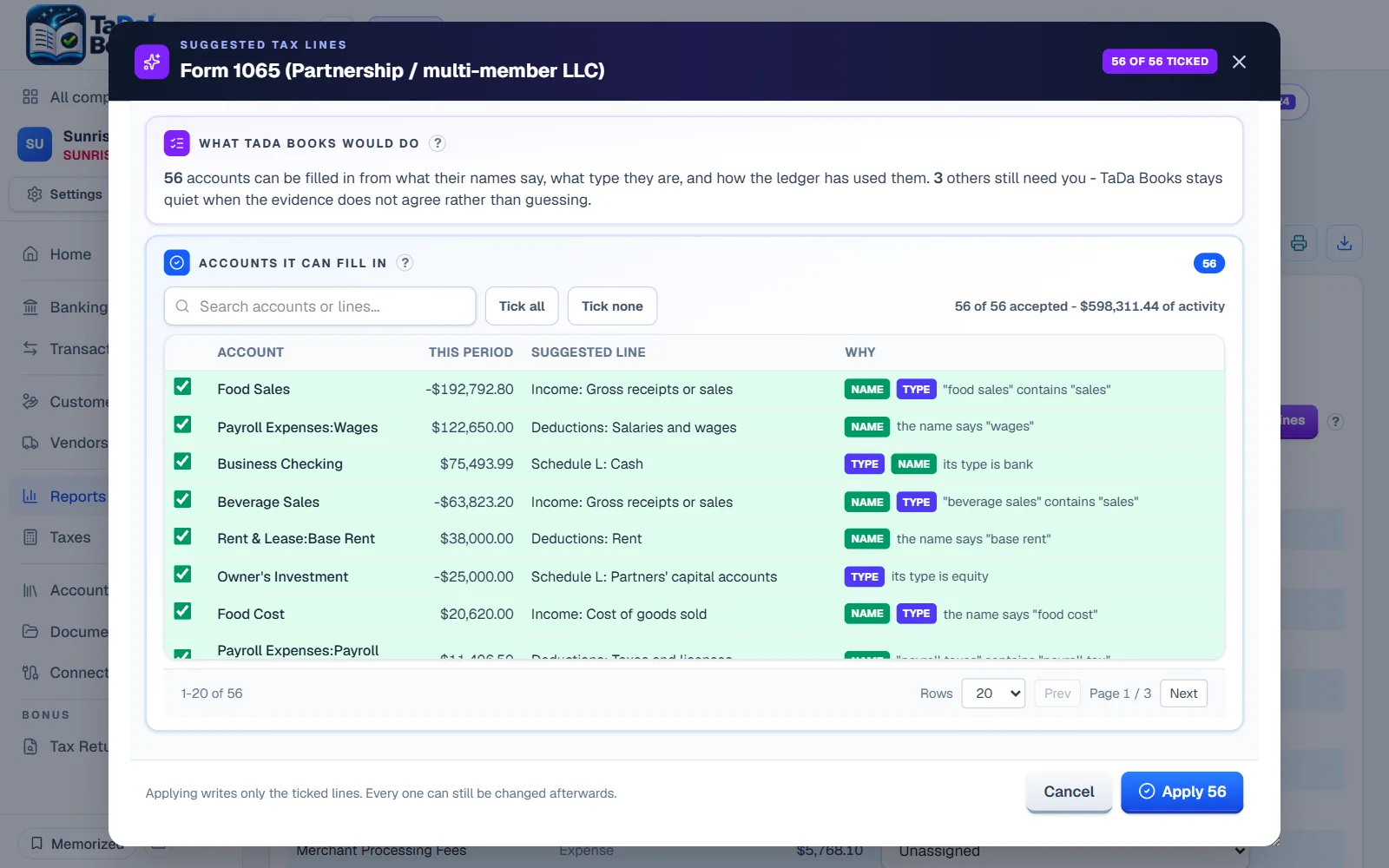
- Accounts mapped to tax lines for youIt reads each account's name, type and how it was used, and you only check the few in doubt.
- Straight into your tax softwareThe trial balance by tax line in the layouts Lacerte and UltraTax CS import.
Switch without losing a thing.
You do not start from zero. Your whole history comes with you: every past year, account, class, customer, vendor and item from QuickBooks Desktop, and the exports of QuickBooks Online, Xero or Wave through the spreadsheet import. The move finishes only when every account matches your old books to the penny.
- The wizard names each report to exportDrop them in; it does the rest.
- Matched, or it tells you whereEvery account checked before anything lands.
- Keep QuickBooks Desktop as a safety netWhat you post here goes back to it in batches, only what changed since the last one, so the old file stays current.
- Out again, any timeQuickBooks Desktop files kept in step, or a full backup, free.
- Business Checking48,213.07
- Accounts Receivable12,940.00
- Rental Income-96,300.00
- Repairs and Maintenance7,418.55
- Mortgage Interest21,062.18
Easy to leave. That is why people stay.
Leaving is one click, and staying is your choice every month.
Spreadsheets, files other software reads, and every document. Free, no limit.
Read itStop paying and your books turn read-only, never deleted. Your export still works.
Read itWhat we read from your bank, what we keep and who can see it, in writing.
Read itIt suggests and you decide. Every answer shows its source.
Read itBring your books. Watch them do the work.
Start free for 30 days, no card needed. Every company you run, every feature included.
Want a hand moving in? Join the beta and we help you personally.