Skip to content

Selling

Invoices, estimates and payments, with what each customer owes always in view.

  1. 1

    See what customers owe

    Open, overdue and paid, sorted and searchable.
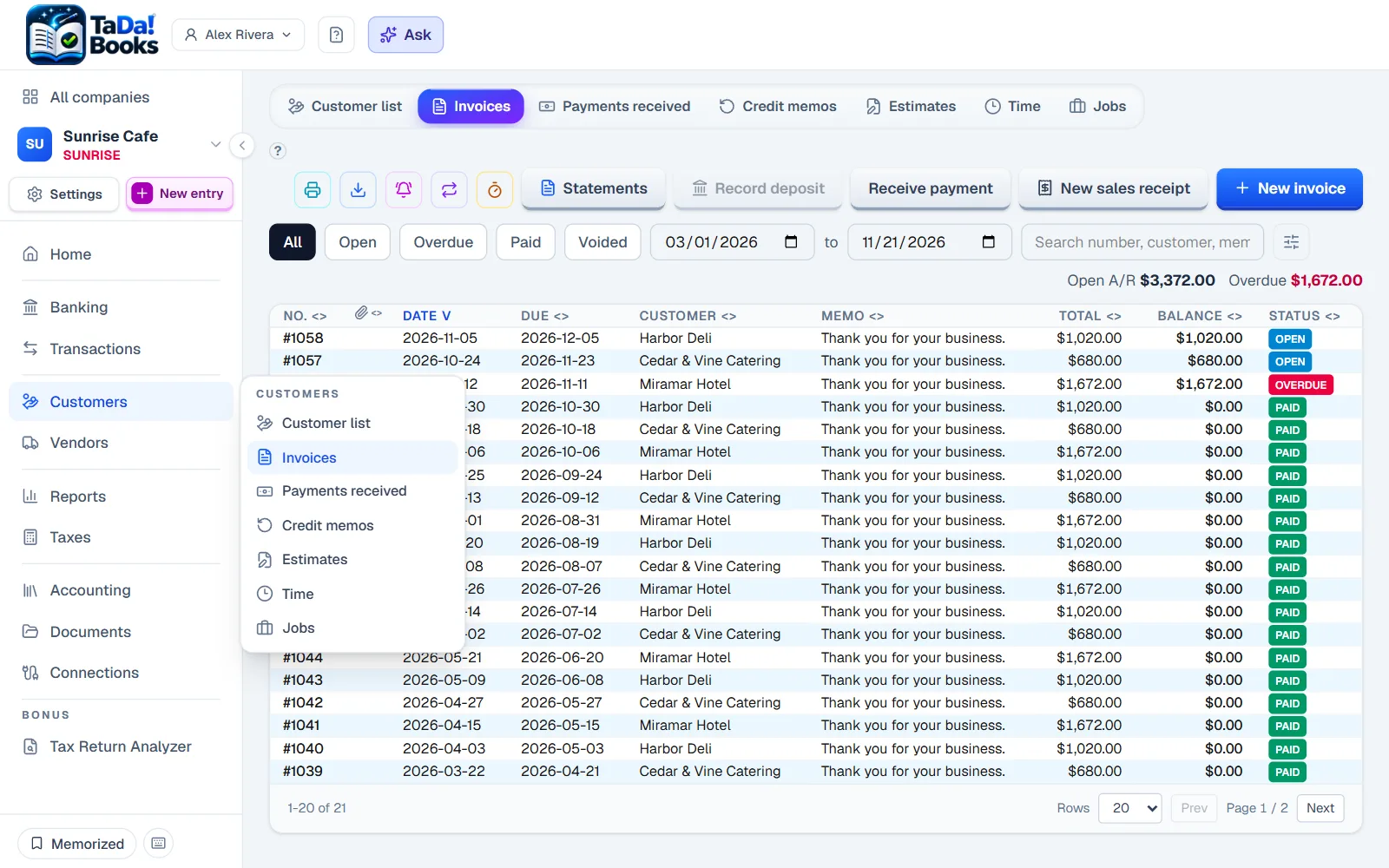
    See what customers owe: Open, overdue and paid, sorted and searchable.
  2. 2

    Write an invoice

    Pick the customer, add lines, and send it.

    Hover or tap the numbers on the screen.
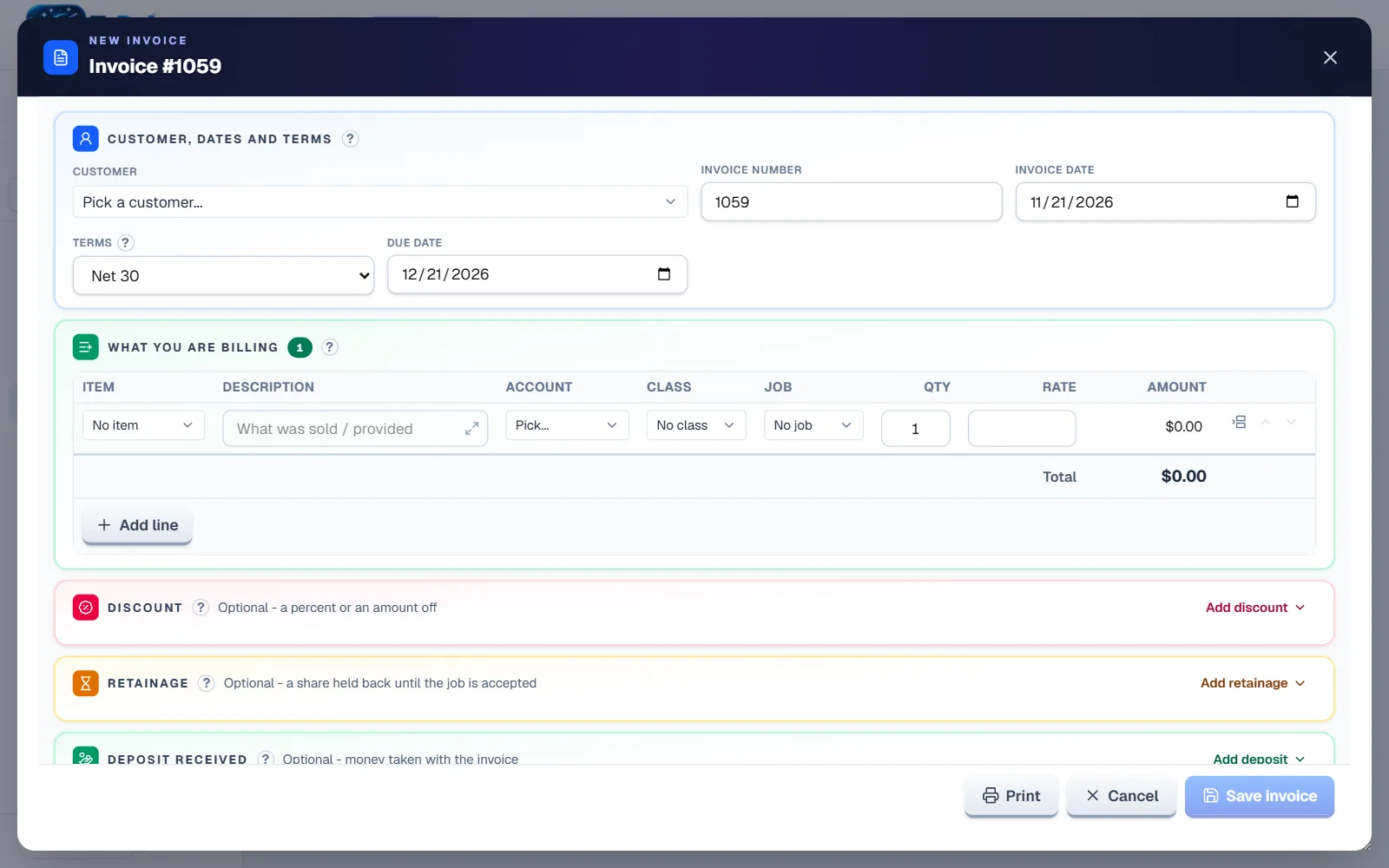
    Write an invoice: Pick the customer, add lines, and send it.
  3. 3

    Record the payment

    Apply it to the invoices it pays. The deposit matches the bank line.
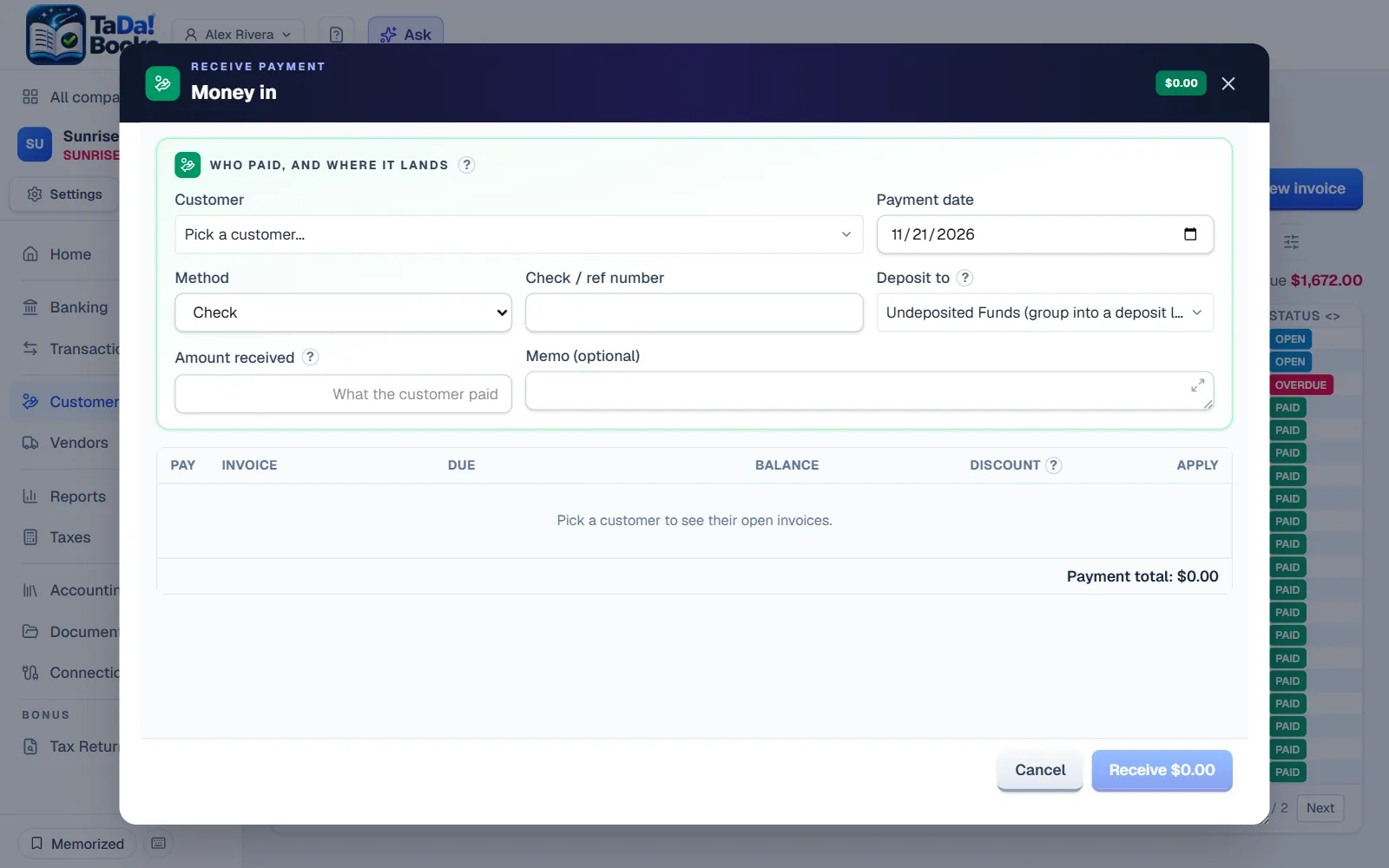
    Record the payment: Apply it to the invoices it pays. The deposit matches the bank line.

Try it on sample books

Or start your own, free for 30 days. No card needed.

Next: Buying