Bring your books. Keep every penny.
Years of history from QuickBooks Desktop, or from QuickBooks Online, Xero and Wave through their exports. The move finishes only when every account matches your old books to the penny.
- Business Checking48,213.07
- Accounts Receivable12,940.00
- Rental Income-96,300.00
- Repairs and Maintenance7,418.55
- Mortgage Interest21,062.18
Everything, not just a starting balance
You keep your history, so last year's reports, last year's customers and last year's numbers are all still there.
Every account, with its full path, exactly as you had it.
Each company file becomes a company under one login.
With their addresses, phones and emails.
Prices, costs, tax codes and the accounts behind each item.
Not a starting balance: the history itself, ready to report on.
As real documents, with their real due dates, on the aging.
What stays behind, said plainly
The balances always match to the penny. These few things are not part of what QuickBooks Desktop exports, so here is what happens to each.
- Paychecks
Arrive as journal entries with every dollar in place, not as paycheck records. Your payroll service keeps running payroll.
- Estimates and purchase orders
None of the reports QuickBooks exports include them, so they do not come over.
- Item names on old lines
Old lines keep their accounts and amounts; your item list itself comes across for new work.
- Memorized transactions
Set each one up again once as a repeating entry, and it runs on its own from then on.
- Files attached in QuickBooks
They are not in its reports. Drop them into Documents and attach each one to its entry.
- From QuickBooks Online, Xero or Wave
The journal, the account list and the trial balance. Invoices and bills, with their payments, arrive as real documents on the aging.
Three steps, and a check you can trust
Export the reports it names
The wizard names each report your old software already prints, and shows where to find it. No add-on to install.
Drop the files in
It reads them and lays out what it will bring. If two accounts share a name, it shows you the lines and asks; it never guesses.
Checked to the penny
Every period is checked against your old trial balance. The move finishes only when every account matches.
All the accounting you know. The busywork, done for you.
The standard screens, where you expect them. The help sits on top: it fills things in, you say yes, and you can always type, change or undo any of it yourself.
1 of 9 · The screens play by themselves. Click any one to stop on it.
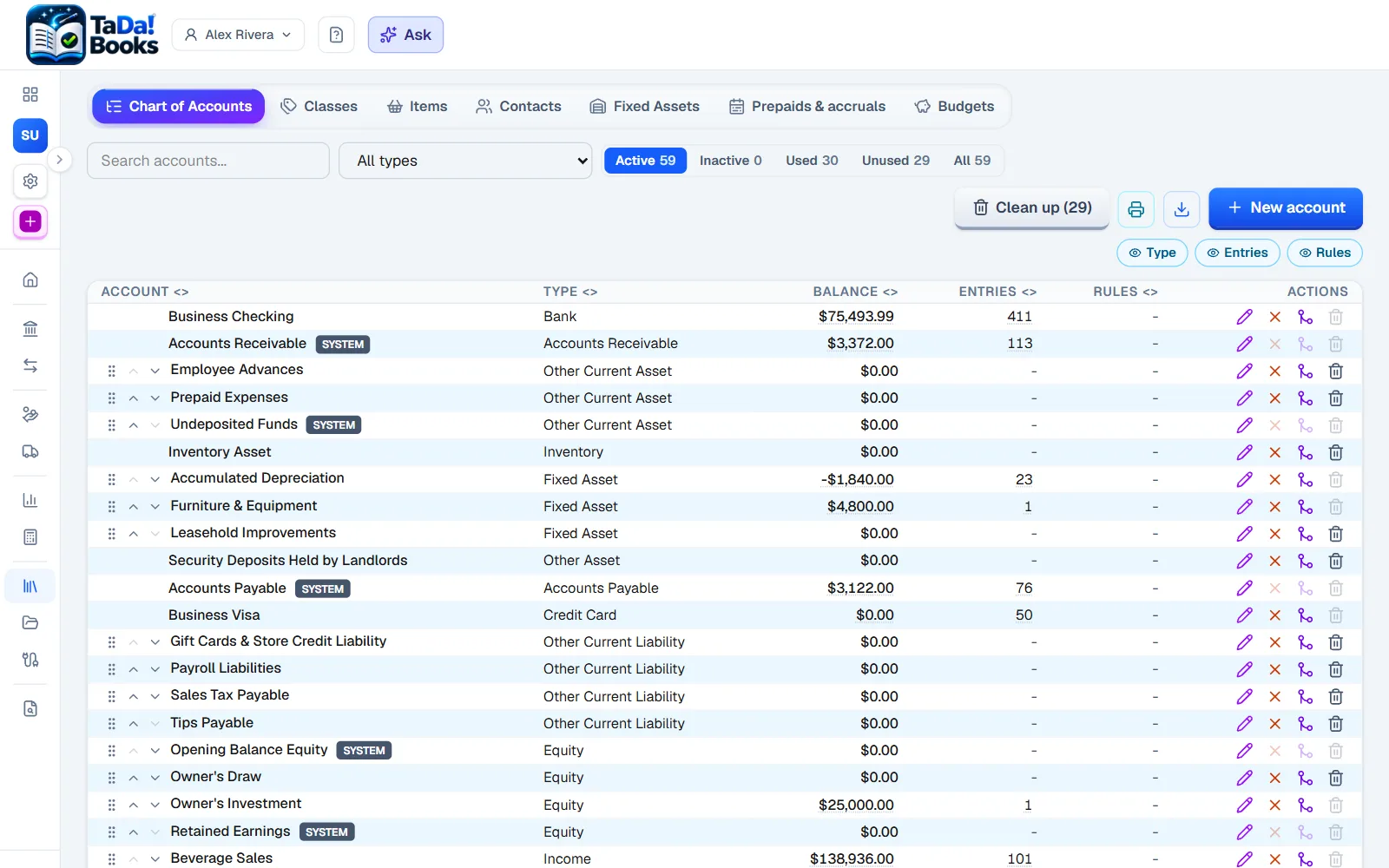
Chart of accounts
The accounts you know, in the order you expect, with sub-accounts.
We add: Each account shows its balance, how many entries it has and the rules that fill it.
- Deposits and receive payment
- Estimates and credit memos
- Purchase orders
- Recurring entries
- Classes and jobs
- Budgets
- 1099s and W-9s
- Sales tax
- Items and inventory
- Fixed assets
- Memorized reports
- Print and download everything
Your books are yours to take
Trying us should never lock you in, so leaving is as easy as arriving.
- Export everything, any time, free
- A file QuickBooks Desktop imports, to rebuild the books there
- Stop paying and the books turn read-only, never deleted
Questions people ask before they switch
Do I have to stop using my old software on day one?+
No. Keep it while you get comfortable. When you are ready, import again: a second run replaces the first, it never doubles anything.
What if something does not match?+
The import does not finish. It names the account and the amount that differ, and what it needs from you. Nothing is placed silently.
I use QuickBooks Online, Xero or Wave. Can I move?+
Yes. Their own spreadsheet exports come in through the spreadsheet import: you map the columns once, the mapping is saved, and the same penny check ties it to your trial balance.
Will my accountant be able to work with it?+
Yes. Invite them free as a reviewer. They get the standard reports, a trial balance laid out by tax line, and files their tax software imports.
And if I want to leave later?+
Take everything, any time, free: spreadsheets, a full copy, every document, and a file QuickBooks Desktop imports to rebuild the books there.
Try it with your own books
Start free for 30 days, no card needed. Bring one company first, and the rest when you are sure.
During the beta we help you move in, personally.