- 1
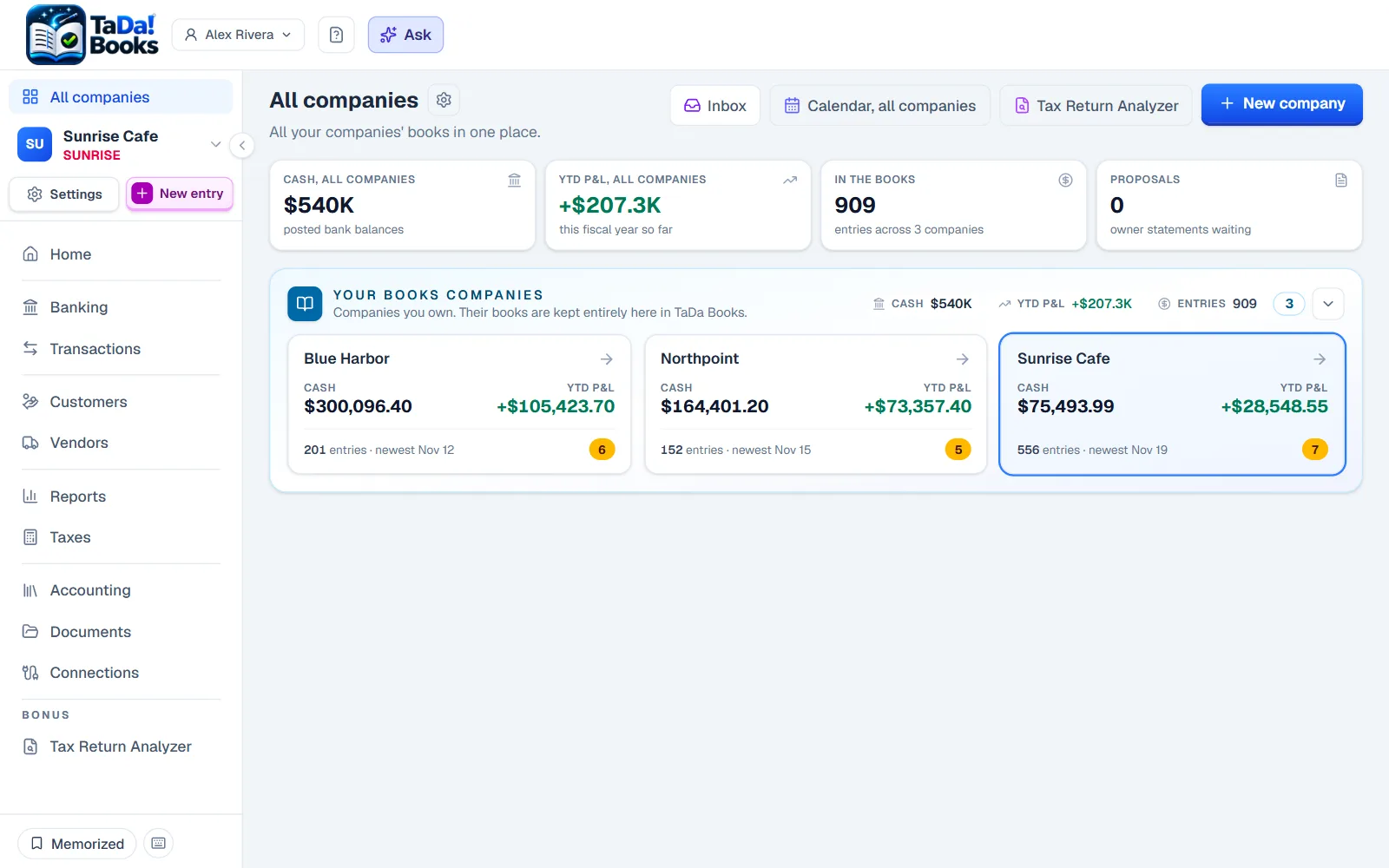
See every company at once
One board with each company's cash, profit, and what is waiting for you.
Hover or tap the numbers on the screen.
- 2
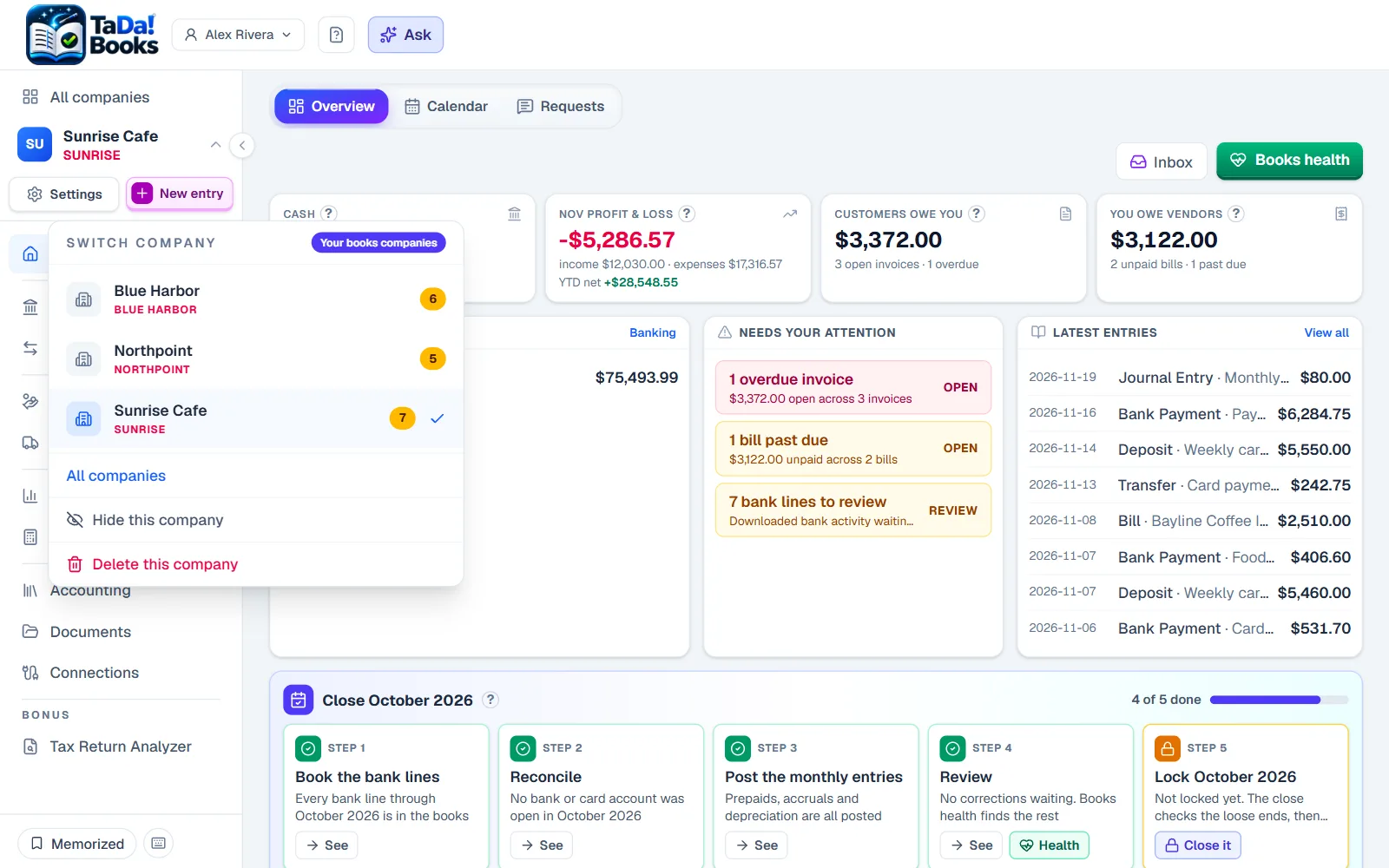
Switch companies in one click
The company menu lists every company you run. Pick one and its books open, or go back to All companies.
- 3
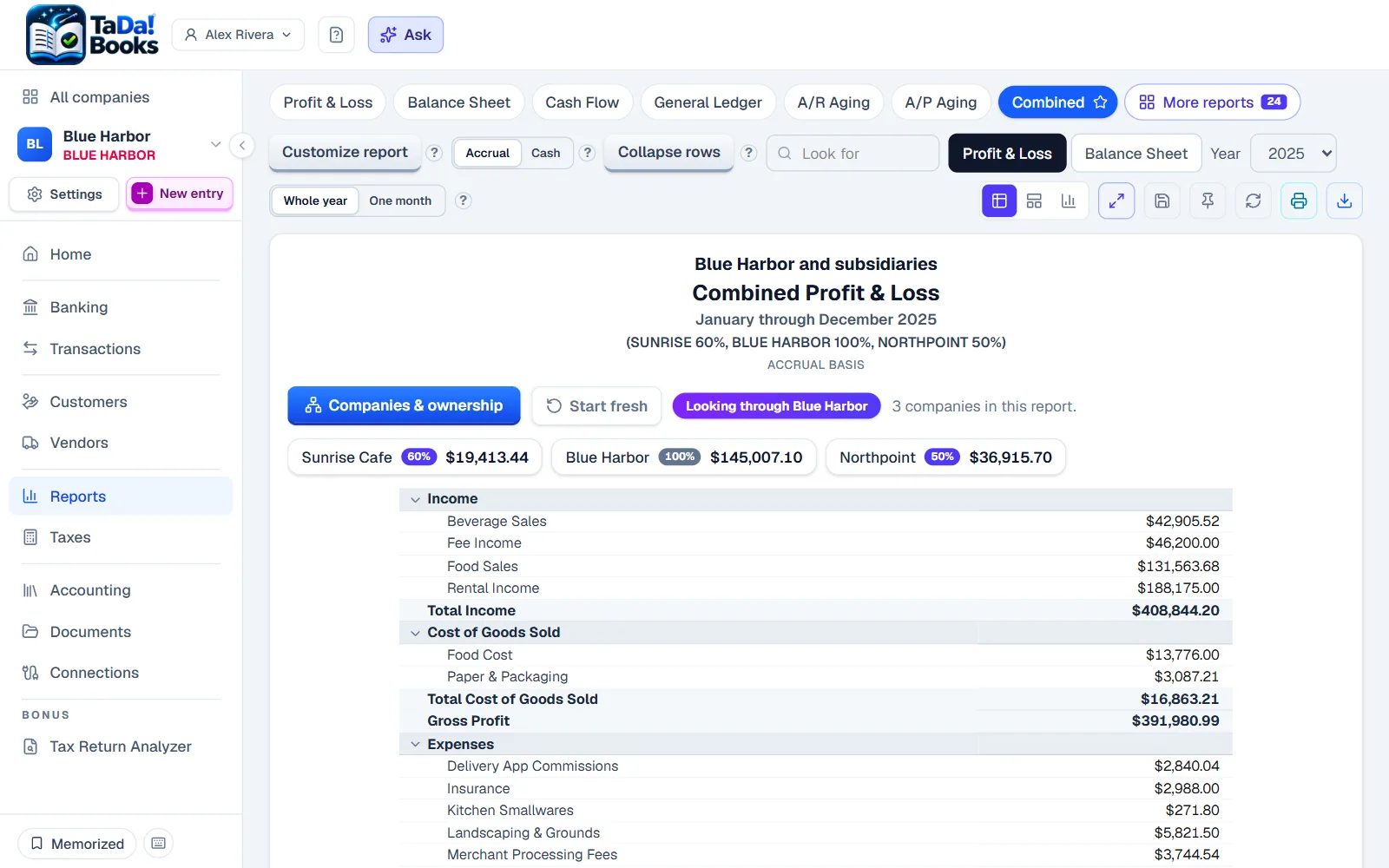
The whole group in one report
Look through the parent company: its share of every company below it is read from the K-1s, and one Profit and Loss adds each company in at that share, with each one's part on its own chip.
- 4
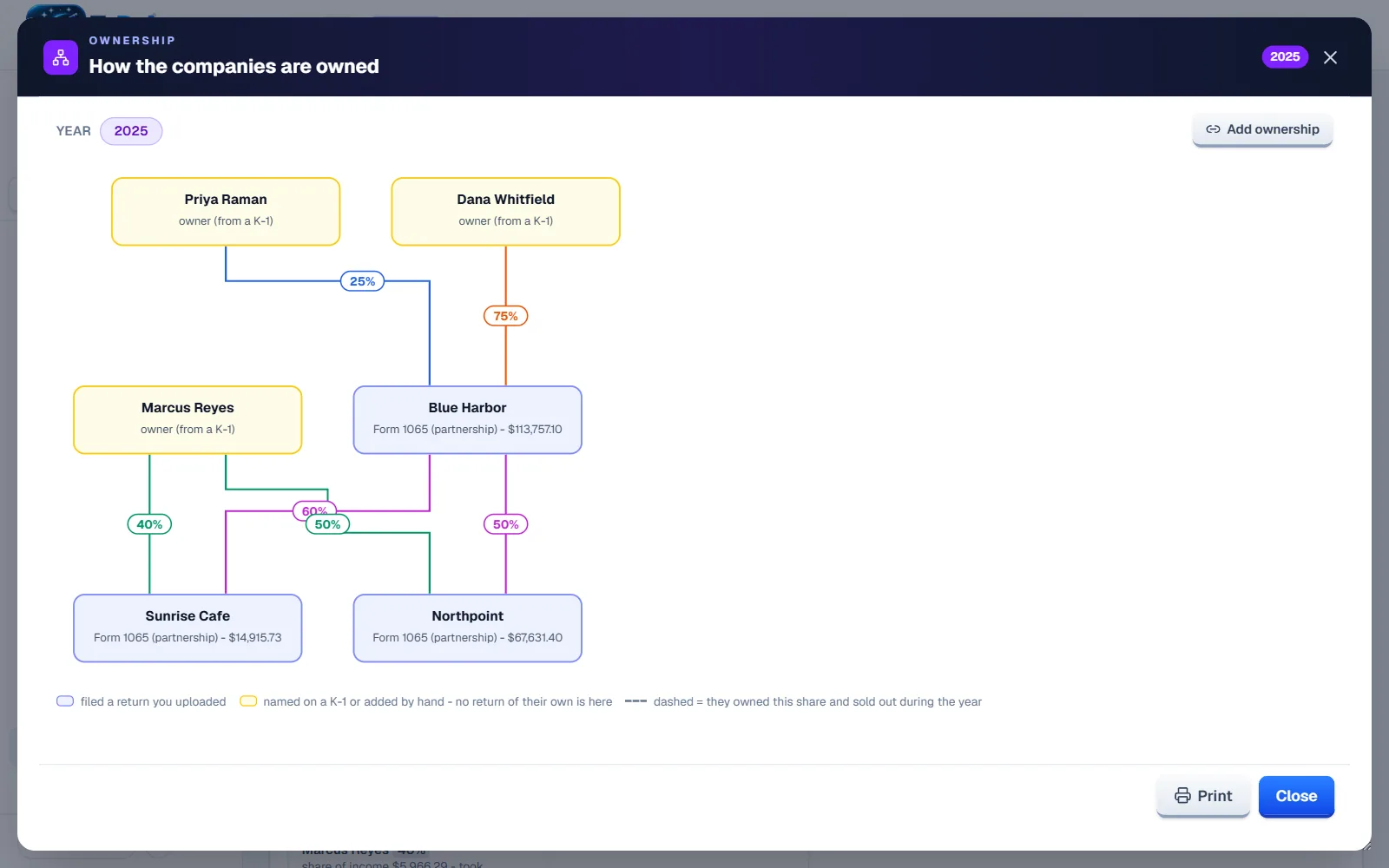
Your ownership chart, drawn for you
Upload the returns and the chart of who owns which company draws itself from the K-1s. Pick any year to see how it looked then.
Try it on sample books
Or start your own, free for 30 days. No card needed.